Manage condo buildings with multiple owners
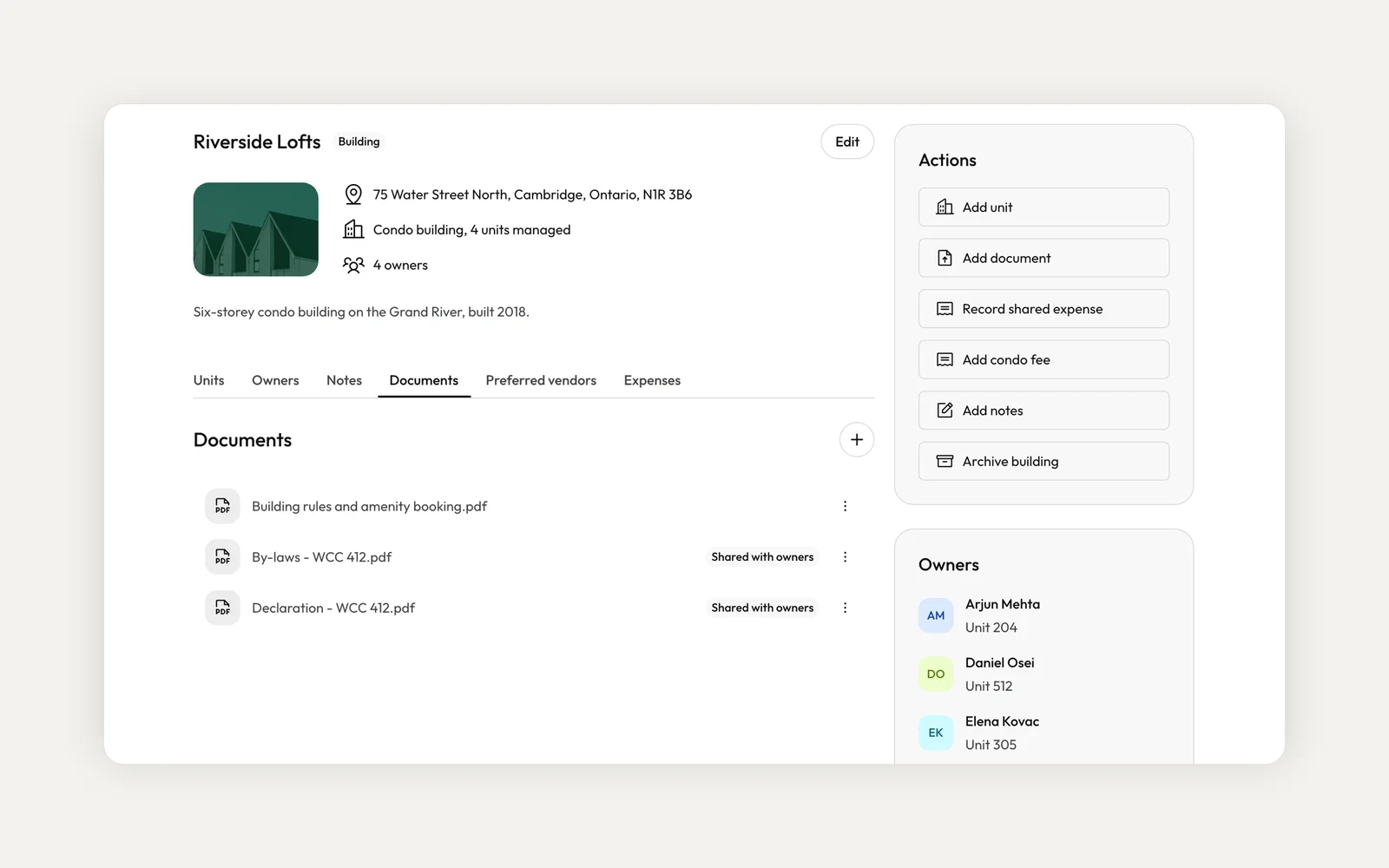
Shipped in v4.0.0If you manage condo units for different owners in the same building, you can now keep them together in Kera as a building. Each unit is still its own property, with its own owner, owner contract, leases, accounting and statements. The building groups them and holds what they share.
Until now, each of those units was a separate property, and the building only existed in your head. Now the building shows as one row on Properties with its unit, owner and vacancy counts. Its page lists every unit with its owner, management fee, tenant and lease dates, and every owner with the units they own there.
Add a building and its units
Go to Properties, choose Add Property, then Units in a building. Search the address, name the building and add the units you manage, each with its unit number, size and owner. Then set how you charge for managing them: the same terms for every unit, or terms per unit. You can also add the condo corporation's contact.
Kera creates the building and one property per unit, each with the building's address, its own unit number, its owners and its own owner contract. Picked up another unit later? Open the building and choose Add unit. Kera suggests the owners already in the building and can copy an owner's existing terms.
Already have the units in Kera?
You don't have to start over. On a property's page, choose Actions, then Add to a building, and Kera ticks the other properties at the same street address for you. Owners, contracts, leases, statements and history stay as they are. If you set a building up as one multi-unit property but its units have different owners, open it, choose Edit and use Convert to building: each unit becomes its own property with its own owner and contract.
Keep the condo documents on the building
File the declaration, by-laws and rules once, on the building's Documents tab. Turn on sharing and they appear in the portal of every unit owner, including owners of units you add later. On an Ontario standard lease for a unit in the building, Kera answers the condominium question for you and lists the building's documents with the declaration, by-laws and rules already ticked.
Split what the units share
When the building has a cost every unit pays for, like a special assessment or a common repair, record it once with Record shared expense. Split it evenly, by amount, by percentage or charge one unit, and choose whether the unit owners, your company or both pay. Each unit gets its own expense, charged to its owner and shown on their statement.
Add condo fee sets up a recurring bill for each unit you pick, charged to that unit's owner or to you. Add the building's preferred vendors once, and maintenance requests on any of its units suggest them.
Questions about buildings
Who can use buildings?
Property management companies with an organization account. Solo landlord accounts don't have buildings. Staff whose role is limited to assigned properties see their units grouped under the building on Properties but can't open the building page.
Does the building have its own owner or management contract?
No. Each unit has its own owner and contract, so fees, payouts and statements stay per unit and per owner.
Do I have to enter the units I don't manage?
No. Kera only tracks the units your company manages in the building.
What do owners see?
Owners see their own units grouped under the building's name in their portal, along with any documents you share with the building's owners. They don't see other owners' units.
Where do maintenance requests and inspections go?
On the unit they affect. Maintenance on any unit in the building suggests the building's preferred vendors.
To get started, go to Properties, choose Add Property, then Units in a building. Buildings are available to property management companies on Kera in Canada and the US.
Run your whole business on Kera
Flat pricing, no per-door fees. Built for property managers.